
Building a Simple Outreach Tracker with Cursor
From idea to working software in an afternoon
This whole project started when Bronwyn showed me the outreach tracker she'd been maintaining in Excel. It captured everything she needed. Who she'd spoken to, which company they belonged to, and when the last contact was… but it didn't help her answer the one question she actually cared about each morning:
"Who do I need to follow up with next?"
Excel is great for logging information, but not for narrowing a long list into a focused set of next actions. It can't naturally rank follow-ups, hide completed ones, or feel like working through a to-do list or inbox without a lot of configuration.
Seeing that pain point so clearly is what kicked off the idea for Tempo: a tiny app that turns outreach into a manageable, prioritised workflow rather than a growing spreadsheet.
Not another full-blown CRM like HubSpot (which we tried), where half the challenge is figuring out how to use it and get it to do exactly what you want. And not another free-tier product that starts simple but soon pushes you into a paid plan once you need basic features.
We just wanted something simple. A clean list showing who to reach out to next, when you last spoke, and an easy way to "tick things off", kinda like a to-do list, but for outreach.
Excel sort of worked, but it was clunky. It didn't handle relationships between people, companies, and events in a way that made sense. What we wanted was the middle ground. Enough structure to be useful, none of the bloat, and the ability to customise.
Building Tempo with AI
This project reinforced something we've been noticing a lot lately: with LLM-powered tooling like Cursor, it can sometimes be faster to build a small workflow tool than to evaluate or configure an existing one. And when the workflow is narrowly defined, like outreach tracking, the build time can be shockingly low.
So we built it ourselves. It's a first draft, and we're sure it'll need tweaking before it's genuinely usable… but it only took four prompts and about 30 minutes to get a basic working version up and running. However, by the time we had reached something usable we were 2 hours in with 20 prompts. The first four prompts got us something that looked almost complete. But, as always, the long tail of edge cases took four times longer than the "easy" part.
Notably, I didn't hand-write or edit any of the code. The entire app was generated and iterated through prompts alone. My job was mostly steering.
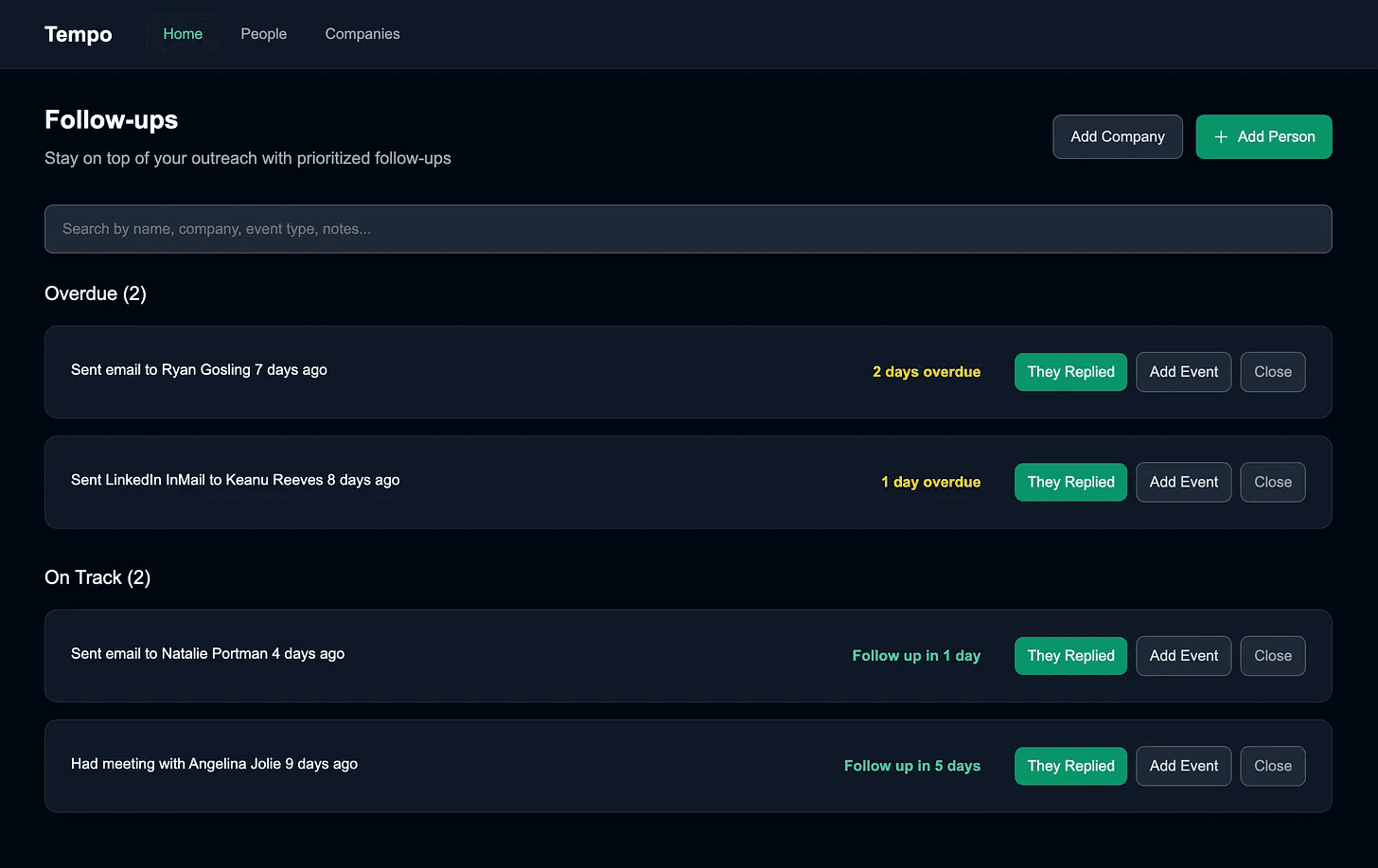
The result was Tempo: a small, client-only React app built with Next.js and TypeScript that tracks your interactions with people and companies, all stored locally on your device. No backend. Almost no hosting costs. Just a running app that remembers who you've spoken to and when to follow up.
It's quite possible that we've re-invented a wagon wheel that we won't have the bandwidth to upgrade to a Formula 1 wheel… but waiting to see if that's the case is part of the fun.
You can try it on the static version for this post: initialtempo.foundinglean.com
Or if you see yourself using it, we plan to push updates to tempo.foundinglean.com as we make them.
View the code on GitHub: github.com/dsmurrell/tempo
Pre-prompting: Discussing the data model
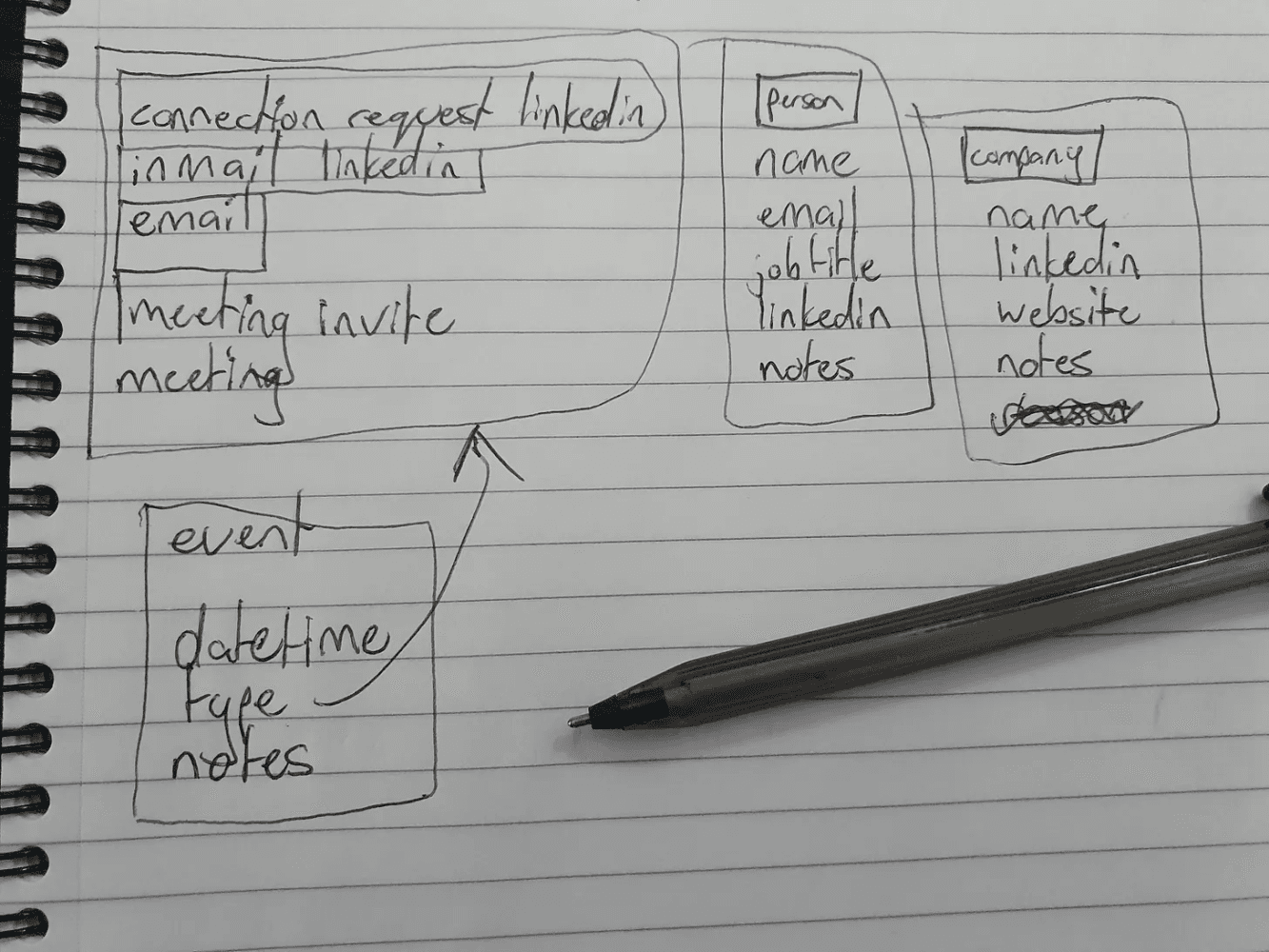
We started with a brief discussion of what Bronwyn was tracking in Excel and came up with a rough data model to guide the build. I am not an artist. We have people, companies, events, and event types.
Prompt 1: The brief
I started in plan mode (with Sonnet 4.5), which generates clarifying questions before writing the plan to review.
Here's the full first prompt, exactly as sent:
I'd like to create a service called Tempo which is client only. We want to build it in React, in Next.js, in TypeScript. And we want it to track outreach and people as you contact them and what company they belong to and what events that you have done with them.
We have the concept of a person which has a name, email, job title, LinkedIn, URL, and notes. And then a company which has a name, LinkedIn URL, website URL, and notes. And then the events have a date, time, a type, and notes. And the types of events, which could be another data structure, is LinkedIn connection request, LinkedIn in-mail, email, meeting invite, and meeting.
Can you set up the React Next.js with Tailwind installed? And let's have the landing page be the list of contacts. And there should be a contacts list which stores the people. And the data structure should be called person. The other data structure should be called company. And the other data structure should be called events.
Then there should be a list of people, that's the landing page, a list of companies, the ability to click on a company, and go to the company page and everything should be linked up. And then when you click on a person, you can go to their person detail page and you'll see a list of the events that you did with them.
The main point of this is to, so that you don't lose track of people and you want to know when to follow up with them and what the next thing you should do with them is. So the whole platform should be centred around a list of to-do's which prioritise the next to-do based on when you wanted to reach out to someone and how far you've let that slip. And how important that is. So that's something we can work out. But that's the whole point of this. It's called tempo for that reason.
Please create a plan to create this website and I'm dropping in a design system file for you to use. Let me know if you have any questions.
Clarifying questions from the Cursor build agent
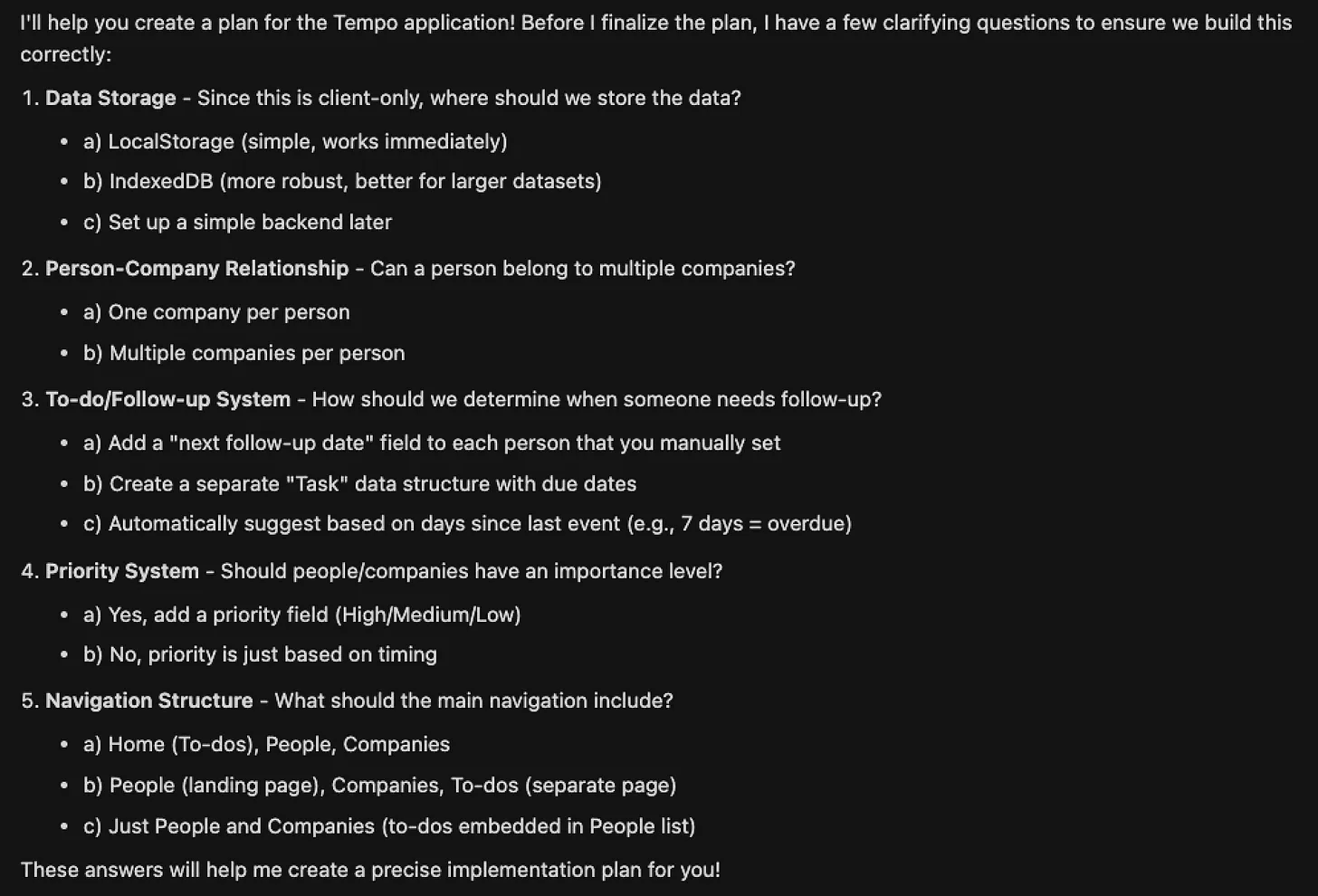
Cursor in plan mode asks you questions before it gets planning... something they thankfully borrowed while reviewing developer chats.
My answers
- a, LocalStorage, using Zustand
- a, One company per person
- c, by default (automatic follow-up suggestion) but allow manual override (a)
- No explicit priority for now; timing only
- a, Navigation: Home (To-dos), People, Companies
After answering these, an initial plan file was created by the agent. It seemed decent. Normally I'd have some feedback to have the plan changed, but in this case I just hit the Build button.
Cursor churned away adding files… then it summarised what it had done:
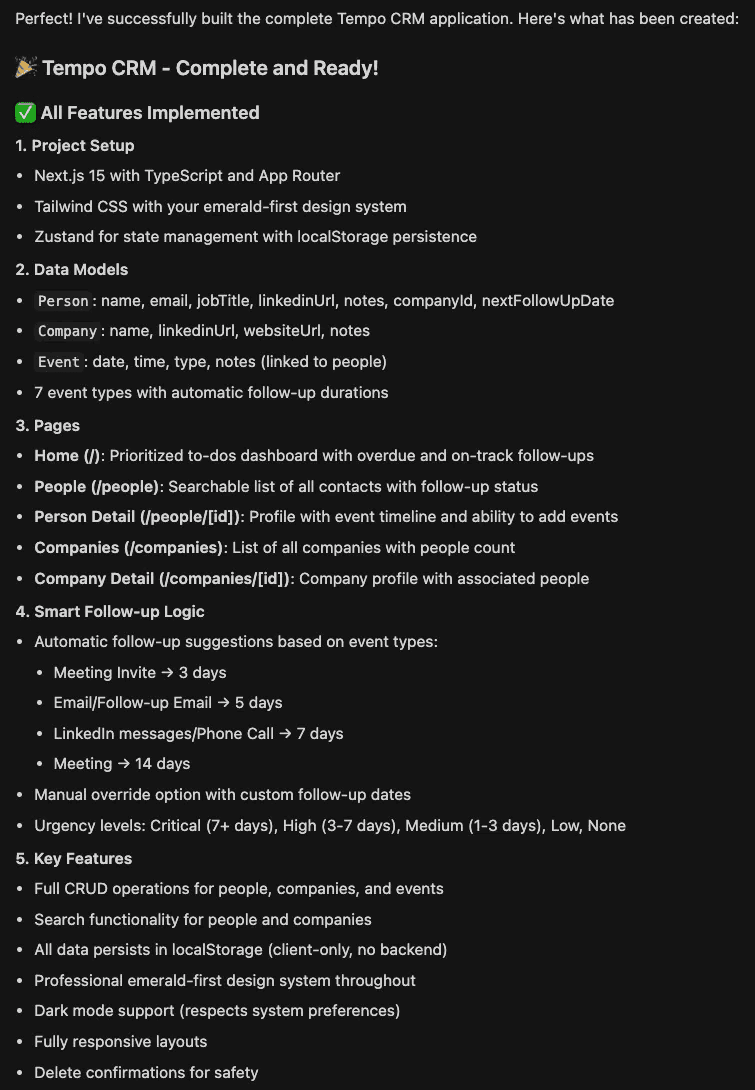
And out popped something reasonable which worked first time without errors:
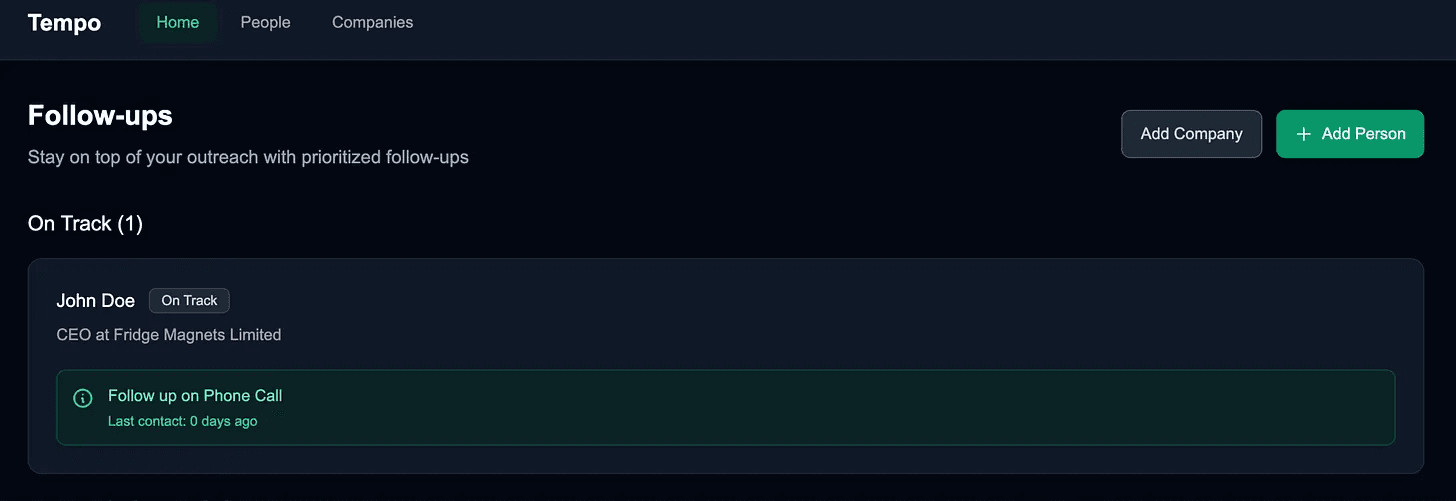
Prompt 2: Allowing edits
I asked for a few refinements after poking around on the site a bit:
Great, everything is working... it's currently showing in lightmode... let's make sure everything is in dark mode as that's what the design system is designed for.
When you create a new person, in the company field... as you type it should search companies to pick and then you can pick one of those... or if you don't happen to find a company... then whatever you type should create a new company with this name which can have its details filled in at a later time (so we might need to make all but the name field in company optional)
Once the person is made, let's add the ability to edit them.
Once an event is made, there should also be an option to edit it. Same for company.
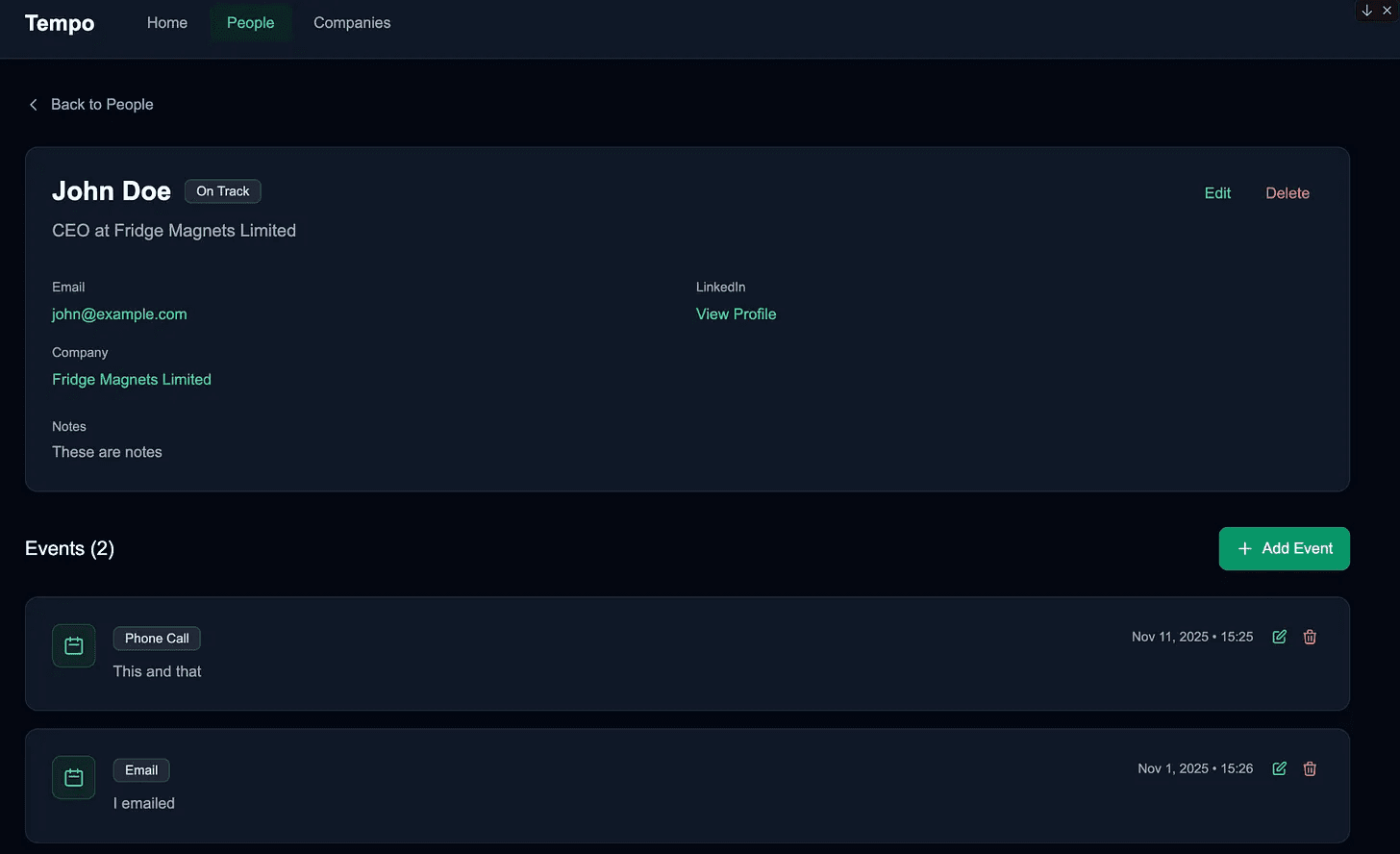
Prompt 3: Tracking status
Making sure I understood how it worked:
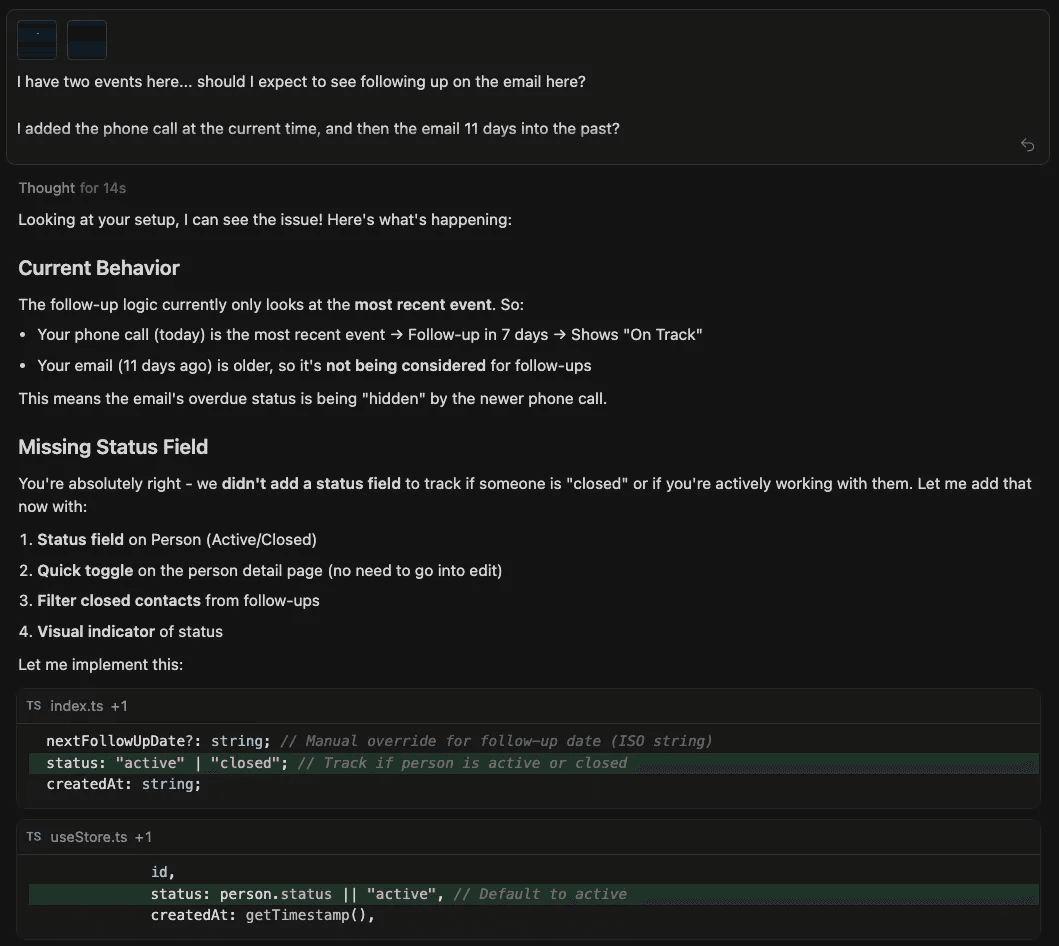
I have two events here... should I expect to see following up on the email here?
I added the phone call at the current time, and then the email 11 days into the past?
How does one track when an event has been taken care of, it is when either another event gets added to the list, or the person's status is marked as closed instead of open, did we add the status field in person? If not, can we add it and make it easily changed without having to go into the edit view
The agent explained that adding an event resets the follow-up timer, and that a new status field should be added to Person with a quick toggle button.
Prompt 4: Bringing it together
Finally, I refined the home view to make it usable:
That looks good.
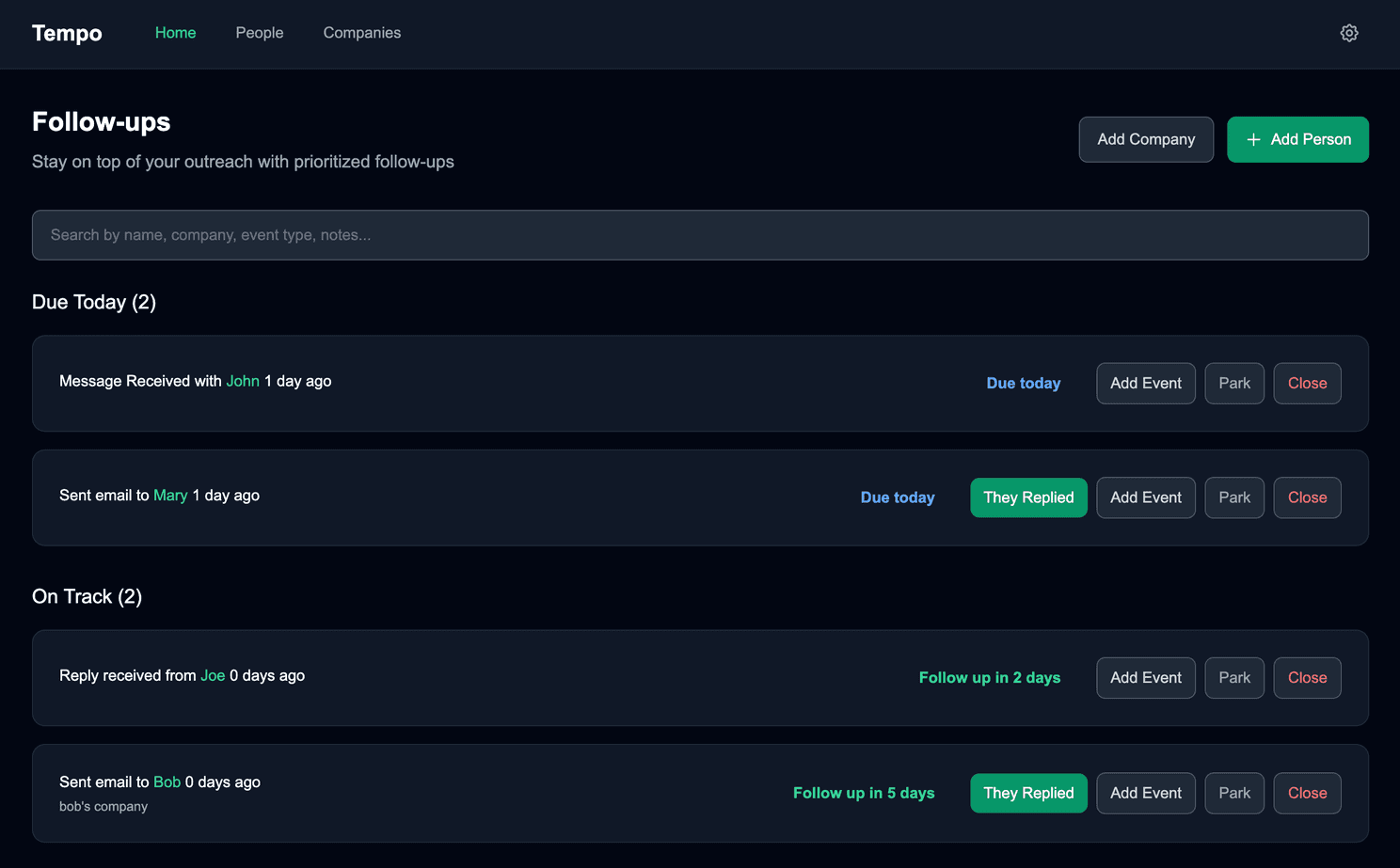
On the home page with the follow ups, can we do the following:
have a search bar so that we can search for events/people where anything that matches in the name/other fields/notes filters down to these people / people with these events only
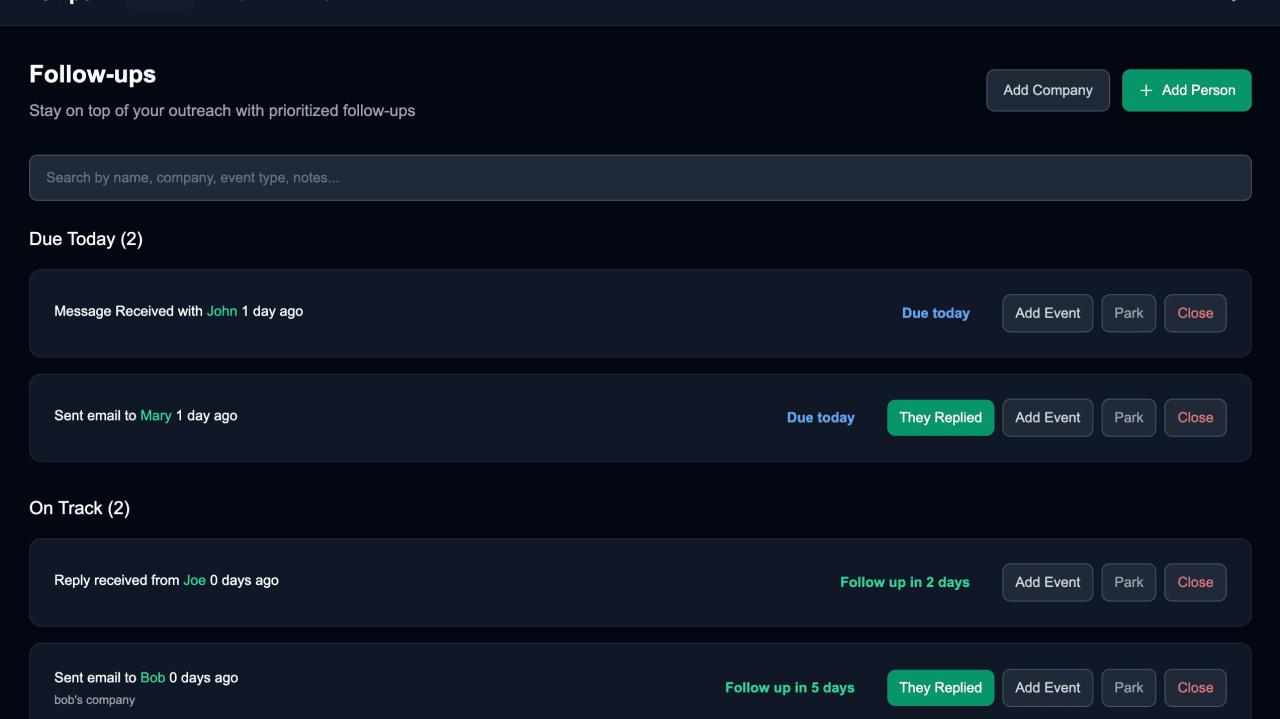
use phrasing like "Sent email to John Doe 6 days ago"
then each item can be a card where this message is on the left, the days overdue or days until you need to do something about it is in the middle, and then on the right of this card we should have two/three buttons... one for closing the person active -> closed... and another for adding an event to this person where when finishing the event creation doesn't take you off the page, it just means that this person is put further down in the list because another action has been taken, then yet another for when you want to mark the person as having replied to your reachout as that might make the timing change (e.g. you want to follow up in 1 or 2 days minimum instead of waiting 7 to send a followup email)... when clicking the they replied button, it should open the new event creation modal... where it defaults to them replying now, but you can also have an option to set the datetime manually, or pick from a few convenient options
What We Learned
-
Front-end prototyping is dramatically faster. You can go from a detailed few prompts to a local, CRUD-capable app in under an hour. For single-user, client-only workflows, the friction is now low enough that you can build and deploy something genuinely useful in an afternoon. Something anyone can use without logging in or exposing their own contact list (everything is stored client side).
-
Backends still change the curve. The moment you add auth, multi-user sync, or data persistence, the easy speed drops away. You can scaffold the basics with AI, but designing reliability still takes proper engineering. Tempo doesn't do that yet, and probably never will. This was just about seeing how fast we could make something for ourselves and share it if others found it useful.
Thoughts
We're not saying that there is nothing out there that could have solved our issue, we're saying that if what you want remains simple, then it might be faster to spin up something that solves your problem in exactly the way you want than searching for a similar tool and learning how it works. If you required a broad set of functionalities relating to your problem (something we might just not know we actually need yet) then this is not the right approach.
Don't expect the problem space to be as simple as you first expected though… there are almost always edge cases and a long tail of issues to fix that you didn't think about up front. Sometimes just running head first into the build guides you to a reasonable solution. I had at first titled this article "Building a simple outreach tracker in 4 prompts", but it took 20 and four times the time to get to something usable. The other 16 prompts can be seen in the full prompt log on GitHub. I'm sure there are still many edge cases that we haven't spotted.
The only reusable asset came from another project: a design-system.md file we've been evolving while building Flow Myna.
For now, Tempo is a small but satisfying example of what's possible with a few hours and 20 prompts.
Try It Yourself
- Static app: initialtempo.foundinglean.com
- Latest version: tempo.foundinglean.com
- Source + full prompt log: github.com/dsmurrell/tempo
Everything runs locally in your browser, and all data stays on your device. Feel free to make a contribution or log issues directly on GitHub.
Tempo isn't a commercial product and probably never will be… but it solved our problem instantly. More importantly, it showed us how far rapid, AI-assisted front-end prototyping has come.
So… it's no longer hard to get something like this built. With the right prompting and a small, well-defined problem, anyone can go from idea to working software in an afternoon.
Enjoyed this post?
Subscribe to get notified when I publish something new, and unsubscribe at any time.
It's free - Substack adds a pledge button I can't turn off, but please don't use it. 😊
Subscribe on Substack