
Sometimes it's faster to build it than find it
Sometimes the fastest path to a solution is to just go build it
I wanted to share a Cursor chat with a friend this morning.

Simple enough, except the conversation was 12 screenshots long. I didn’t want to dump a dozen images into a message and make them click through each one. What I needed was a way to stitch them all together into a single scrollable image.
So I did what most people do: I went looking for a tool.
The search
I asked ChatGPT for some online options. It gave me a few. I tried the most promising looking ones.
The first one put my images out of order when I uploaded them.
The second stitched them together, but horizontally. Not what I wanted.
The third actually worked, but it took me a while to figure out how to use it.
While all of this was happening, I had Cursor open in another window. On a whim, I prompted it with this:
Can you create an image merging tool client side only using react and next and tailwind stylings where I upload a list of screenshots and then it creates a single picture where it stitches the screenshots together merging them exactly if there is any overlap starting with the earliest image at the top to the last taken screenshot at the bottom
Please use tailwind and make something that is very nicely styled... please try to do this in one go so that I can use the product after you are done.
Five minutes later, I had a working tool that did exactly what I needed.
To be clear: I didn’t tweak the output. I didn’t debug anything. I ran the prompt and a working tool popped out that I could use locally. That’s it. No coding experience needed!
The realisation
In the time it took me to find a tool, test three of them, and learn how to use the one that sort of worked, Cursor had already built me something better.
I could have kicked off that prompt, gone to make a coffee, and come back to a finished product.
This flipped something in my head.
Build vs. find
There’s a default behaviour most of us have: when we need something, we search for it. We look for existing tools, existing solutions, existing products. We assume that finding is faster than building.
That used to be true. It often still is.
But with coding agents, the calculus has changed. For small, specific problems, building a custom tool can now be faster than:
- searching for options
- evaluating which ones might work
- testing them
- learning how they work
- working around the ways they don’t quite fit your needs
Especially when what you need is simple and specific.
The tool
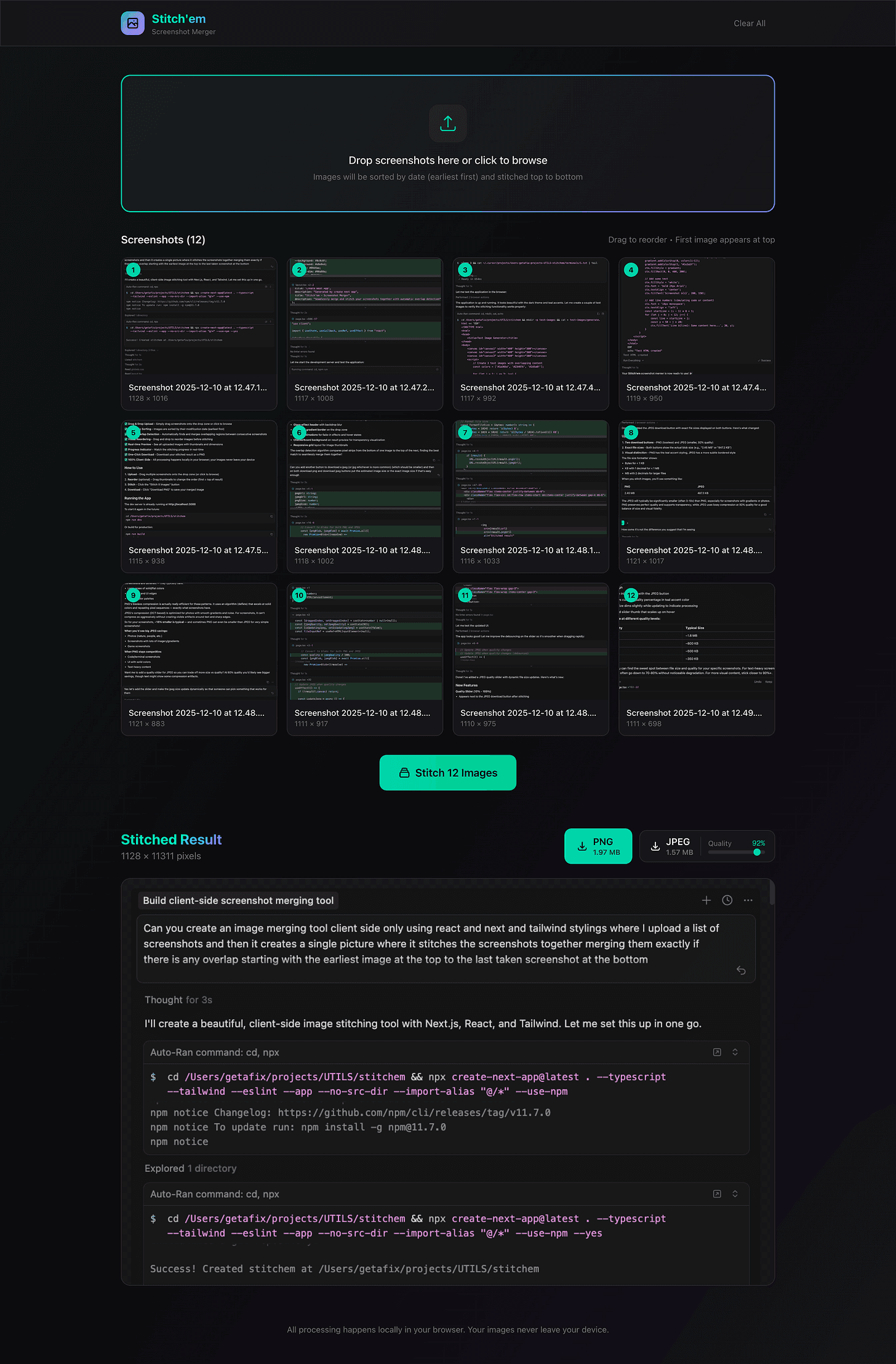
I’m calling it Stitchem. It does one thing: takes a list of screenshot images and stitches them vertically into a single image, handling any overlap (well maybe - I haven’t tested this yet).
(If you’re trying to capture a long page in Chrome, there’s actually a great extension called GoFullPage that does this for you and autoscrolls down the page while it grabs screenshots. But unfortunately, there are places, like Cursor, where tools like this don’t operate.)
Here’s the result of Stitchem in action, showing the full Cursor history that built Stitchem itself:

It’s not polished. It’s not a product. But it solved my problem in about five minutes, and now I have it forever.
The takeaway
Next time you can’t find what you’re looking for, consider whether the solution might be to just build it yourself.
Be super specific about what you need. Let the agent do the work. Go do something else while it runs.
You might come back to exactly what you wanted, without having learned someone else’s tool, without compromises, without clicking through three broken alternatives first.
This video has stuck with me: Go be weird, by @rodneydnorman on TikTok.
In the age of coding agents, you don’t always need to find what you need. You don’t always need to learn someone else’s tool. You don’t need permission.
Sometimes the fastest path to a solution is to just go build it.
If you want to try Stitchem yourself, you can use it here. And if you’ve had a similar experience where building beat searching, I’d love to hear about it in the comments.
Enjoyed this post?
Subscribe to get notified when I publish something new, and unsubscribe at any time.
It's free - Substack adds a pledge button I can't turn off, but please don't use it. 😊
Subscribe on Substack