
Templates + AI = ❤️
Why pay for templates when AI can generate a frontend from a prompt?
It's a fair question. Vibecoding has gotten good. You can describe what you want and get something functional quickly. So why bother with templates at all?
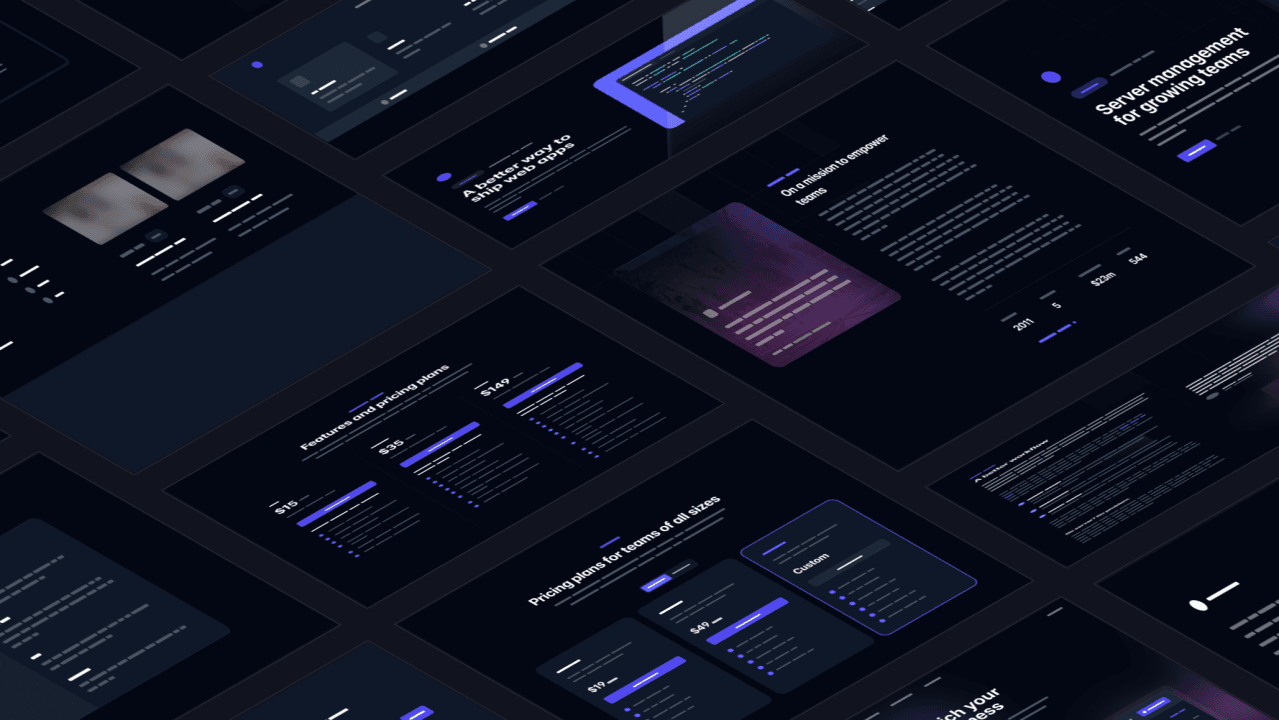
Here's what I've found: there's a gap between "functional" and "polished". And for certain projects, starting from a professional template closes that gap faster than starting from scratch.
I want to share an approach that's saved a lot of time: starting from a paid template instead of a blank canvas when building websites with AI.
The combination is simple. Get access to Tailwind Plus (£219 one-time, lifetime access to everything). Point Cursor at a template. Ship something that looks great.
The problem with pure vibecoding
Currently vibecoded sites have a certain look to them. Maybe this is just the Bootstrap CSS phase of AI-assisted coding, but if you don't inject your own style your app can end up looking very similar to everyone else's.
The AI makes a great start, but finishing things off so that they're mobile responsive and have good accessibility is challenging to do with prompts alone. I've found that coding agents aren't particularly good at the final 10% of polish.
Why templates are still worth it (for now)
Professional templates like Tailwind Plus (formerly TailwindUI) have already solved the hard problems:
The finishing touches are baked in. Micro-interactions, typography choices, spacing systems... all the details that take forever to get right are already done. You're not trying to recreate them from prompts.
Responsiveness just works. These templates have been tested across devices. Mobile, tablet, desktop. You're not debugging media queries at 11pm.
Accessibility is included. Proper heading hierarchy, colour contrast, semantic HTML. Vibecoded sites often miss these. Templates don't.
They teach you good patterns. These templates are built by experts. By modifying them, you learn what good code structure looks like without starting from scratch. It's an education disguised as a shortcut.
Design differentiation. Your site doesn't look like every other AI-generated landing page. You're starting from a professionally designed baseline, not whatever default patterns the model has learned.
The freedom of constraint
I ride a single speed bike. No gears. At first it sounds limiting, but it's actually freeing. I never have to think about what gear to shift to. I just ride.
Same with photography. I only use prime lenses. When I went to Japan, I took a single 50mm lens. No decisions about what zoom to set. That constraint freed me to focus on composition, timing, light. Here's what I shot.
Templates work in a similar way.
Providing you find one that fits your needs, the limitations make it easier to ship something polished. They cut out the blank canvas problem where anything is possible and you don't know where to start.
But this only works if the template actually fits. If you're fighting the structure, making wholesale layout changes, you've picked the wrong template. AI-assisted coding is bad at large structural modifications.
The workflow
-
Pick a template that fits. This is the most important step. Don't force a documentation template into a landing page. Browse until you find something close to what you need.
-
Start with copy changes. Get your text into the template first, changing as little structure as possible. This is the safest way to validate that the template actually fits your content. If you're rewriting major sections, step back and reconsider.
-
Then styling. Colours, fonts, images. Still relatively safe. The layout stays intact.
-
Layout changes last (if at all). Structural modifications are where things break. Avoid them if you can. If you can't, you may have the wrong template.
-
Let Cursor browse your running app. Cursor can now load your app in a browser and screenshot it. Ask it to look at your template and get visual feedback about how best to place your content.
-
Ship. Deploy to Vercel, AWS Amplify, Netlify... wherever you prefer. The entire process can take an afternoon.
Real examples
Here are sites I've built (or helped build) using this approach:
dsmurrell.com — My personal site. Modified from a Tailwind Plus template, with some custom sections added for projects and articles.
runnem.com — Documentation site for runnem, an open source tool I built. Started from a docs template and customised the content.
leveloh.com — Landing page built by a friend with marketing expertise who doesn't code. He used AI to modify the template himself and change the look quite substantially.
hgops.com — A consulting site I helped a friend set up. Professional look, minimal time investment.
For Flow Myna, we're using the Syntax template for our product documentation and the Protocol template for our public API docs. We chose Protocol over Mintlify specifically so we could maintain visual consistency across our whole site.
The tradeoff: no open source
Here's the honest downside: you can't redistribute Tailwind Plus components without significant modification. Their license is clear about this.
For most founders, this doesn't matter. You're building a marketing site or a product landing page, not releasing a theme for others to use. The license covers exactly this use case.
But if you were planning to open source your entire site, including the UI components, you'll need to swap them out or build your own. Something to know upfront.
When to use this approach (and when not to)
This isn't a universal solution. It's project-dependent.
Use templates when:
- The template structure matches your needs without major modification
- You're building marketing sites, documentation, portfolios, or landing pages
- You want polish without hiring a designer or frontend expert
- Visual consistency across multiple site sections matters (docs, API reference, marketing) and you don't want to plug in a third party solution that you don't have full control over
Don't force it when:
- Your project needs custom UI that doesn't fit any existing template
- You're building a complex web app with unique interaction patterns
Not everything fits a template. hop.coffee and spikelog.com didn't fit any template structure, so I didn't try to make them fit. Starting from scratch was the right call for those projects.
This approach also works better with some tools than others. If you're using Cursor or Claude Code, where you're working directly with code and can point the AI at specific files, templates slot in naturally.
Vibecoding platforms like Lovable or Bolt work differently. They're optimised for generating from scratch based on prompts, not for modifying existing codebases. The template workflow doesn't fit their model as well.
The final takeaway
AI is very good at swapping out content while keeping the UX functional. Give it a well-structured template, tell it what you need, and it can make targeted changes without breaking what already works.
That's the combination: professional design and responsive behaviour from the template, content and customisation from AI-assisted editing.
It's not the right approach for everything. But when the project fits, it's hard to beat.
Enjoyed this post?
Subscribe to get notified when I publish something new, and unsubscribe at any time.
It's free - Substack adds a pledge button I can't turn off, but please don't use it. 😊
Subscribe on Substack